One of the most important steps after receiving approval for your Haryana Family ID (Parivar Pehchan Patra) is downloading and printing your official ID document. This page provides detailed instructions on how to download your PPP Haryana Family ID card.
How to Download Haryana Family ID
To download your PPP Haryana Family ID card, follow these simple steps:
Step 1: Visit the Official Portal
Log in to the Citizen Corner on the official PPP Haryana website: https://ppp-office.haryana.gov.in/
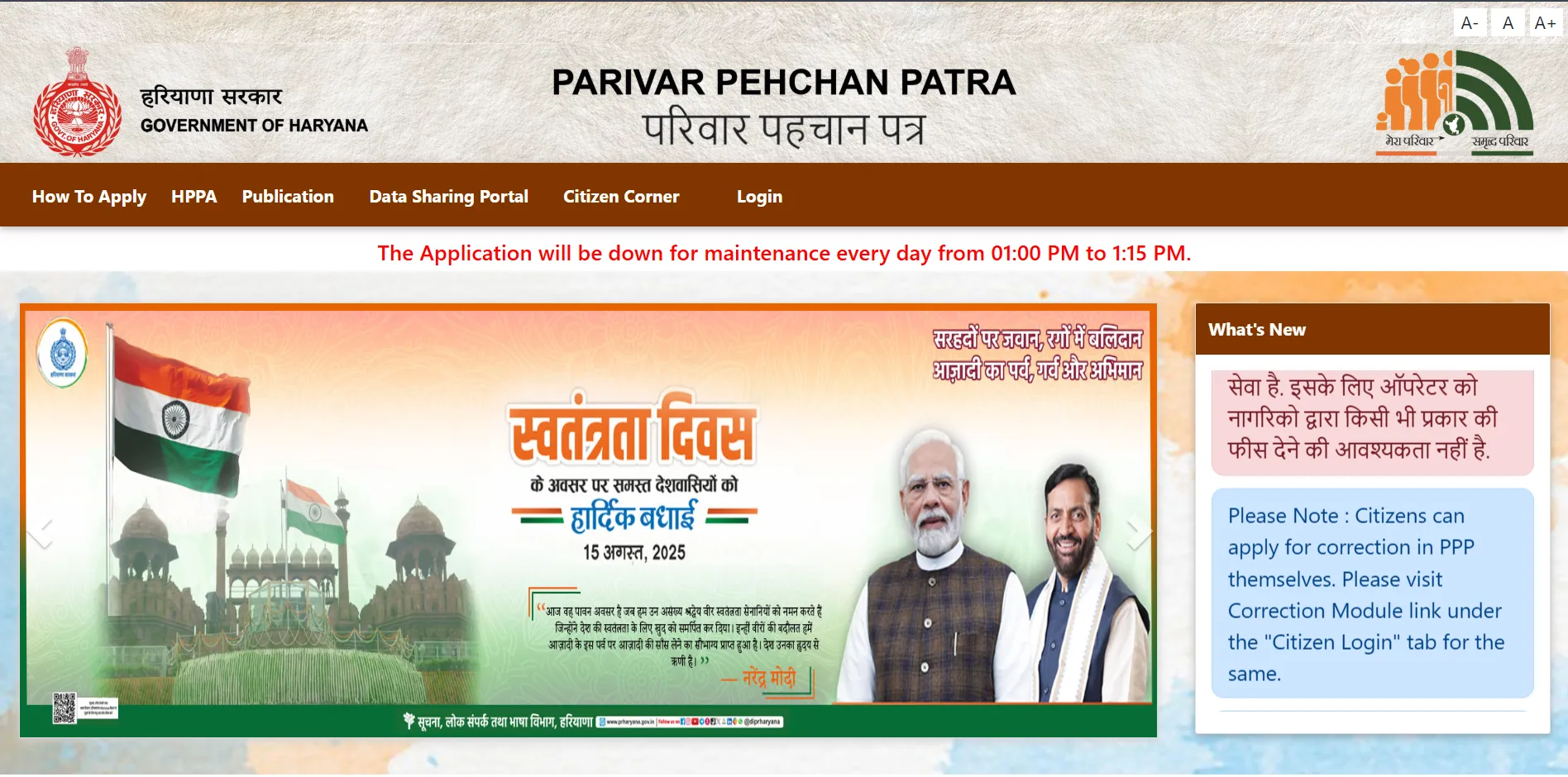
Step 2: Login to Your Account
Enter your Family ID and verify with OTP sent to your registered mobile number.
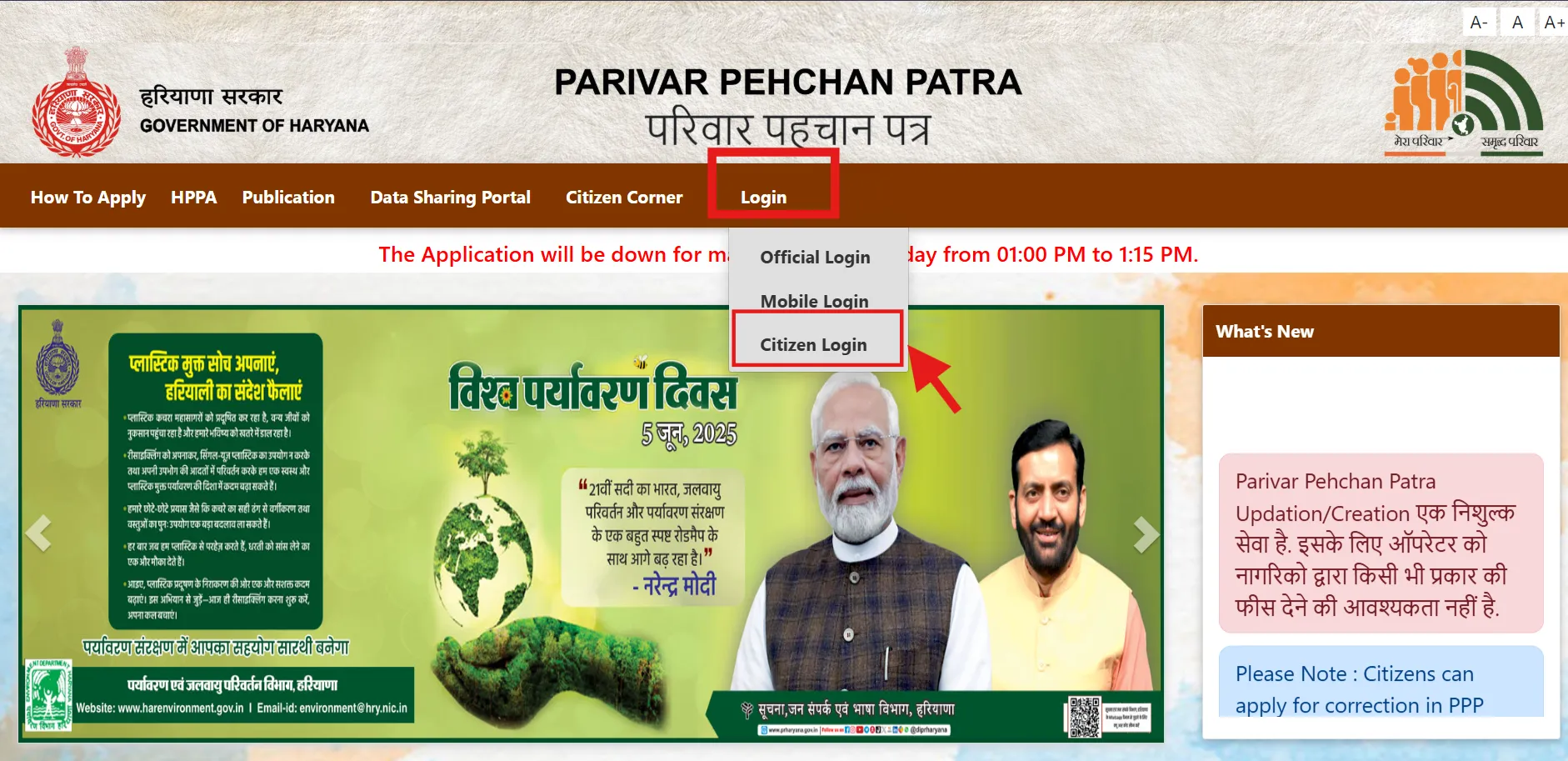
Step 3: Navigate to Download Section
After logging in, look for the "Print Form" or "Download Family ID" option in your dashboard.
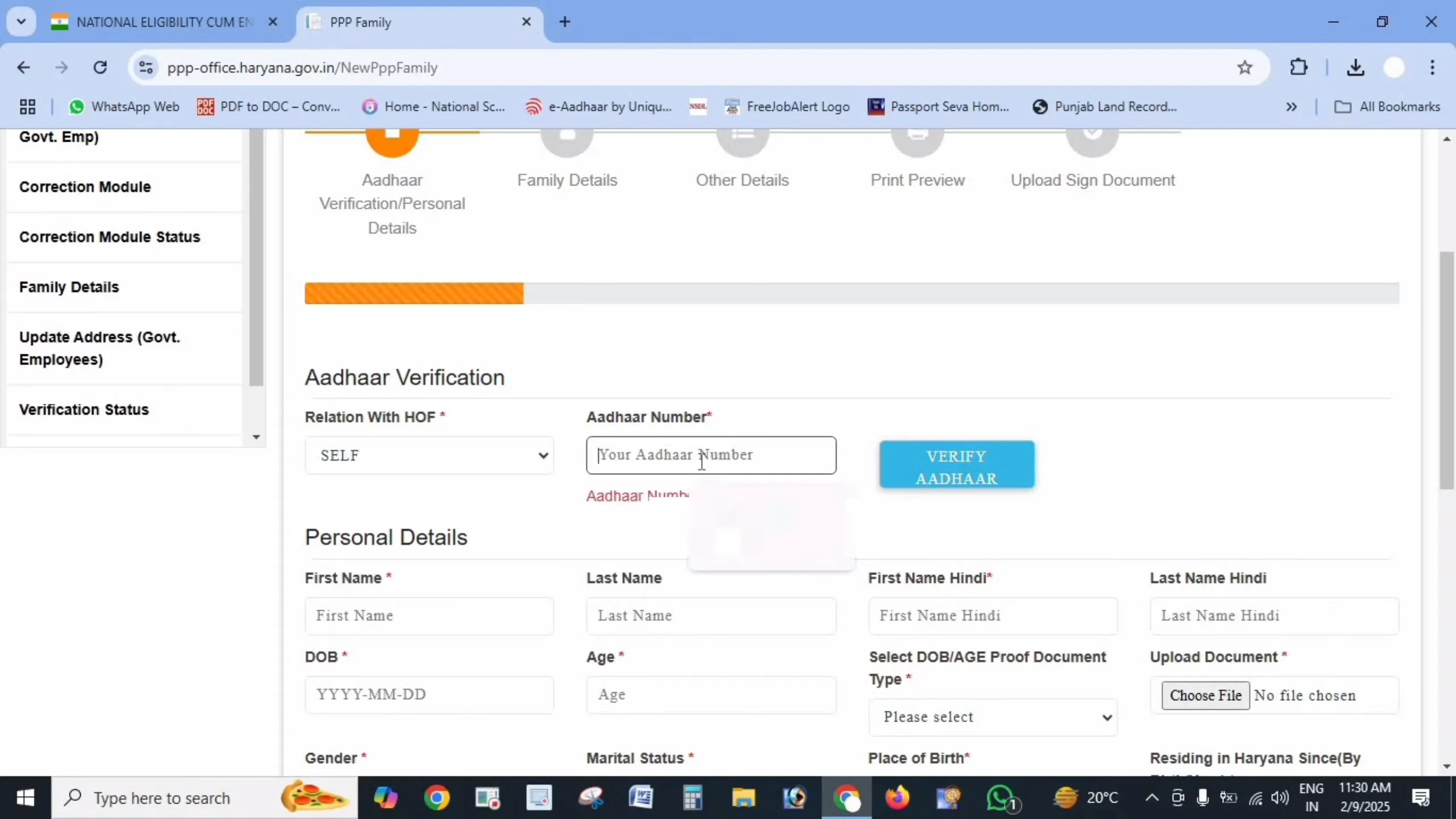
Step 4: Generate PDF
Click on the download option to generate a PDF version of your Family ID card.
Step 5: Save and Print
Save the PDF file to your device. You can then print it for official use.
Step 6: Verification (If Required)
For some services, you might need to sign the printed form, scan it (keep file size under 200 KB), and upload it back to the portal for final verification.
Common Issues While Downloading PPP Haryana ID
Issue: Download Option Not Visible
Solution: Ensure your application has been approved. If the status shows "Processing" or "Pending," you'll need to wait until it's approved.
Issue: PDF Not Opening
Solution: Make sure you have a PDF reader installed on your device. Try downloading Adobe Reader or any other PDF viewing software.
Issue: Login Problems
Solution: If you're having trouble logging in, use the "Forgot ID/Password" option to reset your credentials through your registered mobile number.
Issue: Poor Print Quality
Solution: Download the PDF at the highest quality setting and print using a good printer. Make sure to select "Actual Size" in your print settings.
Important Information About Your Downloaded ID
- Official Validity: The downloaded and printed Family ID is an official document recognized by Haryana government departments.
- Multiple Copies: You can download and print multiple copies as needed.
- Digital Copy: Always keep a digital copy saved in your email or cloud storage for easy access.
- Authorized User: Only the family head or authorized members should download the ID.
- Regular Updates: If you update your family information, download a fresh copy to ensure all details are current.
How to Use Your Downloaded Haryana Family ID
Your PPP Haryana Family ID can be used for various government services:
- Applying for schemes like pensions, scholarships, and subsidies
- Verification at government offices
- Accessing ration card services
- Applying for Ayushman Bharat health benefits
- Property-related services
Need Help?
If you're facing any difficulties downloading your Haryana Family ID, you can:
- Visit your nearest Saral Kendra
- Contact the PPP Haryana helpline (available through district offices)
- Use the help section on the official portal
Important Links
| Purpose | Link |
| Official Website | https://meraparivar.haryana.gov.in/ |
| Citizen Corner (for download) | https://ppp-office.haryana.gov.in/ |
Frequently Asked Questions
Can I download my Family ID if my application is still under process?
No, you can only download your Family ID after your application has been approved.
Is the downloaded Family ID valid without a signature?
For most services, the downloaded ID is valid. However, some specific services might require a signed copy.
How can I check if my Family ID is ready for download?
Check your application status on the official portal. If it shows "Approved," you can download your ID.
Can I download the Family ID from my mobile phone?
Yes, you can access the portal from your mobile browser and download the ID.
How long is my downloaded Family ID valid?
Your Family ID remains valid until any information is updated or changed. After any updates, it's advisable to download a new copy.